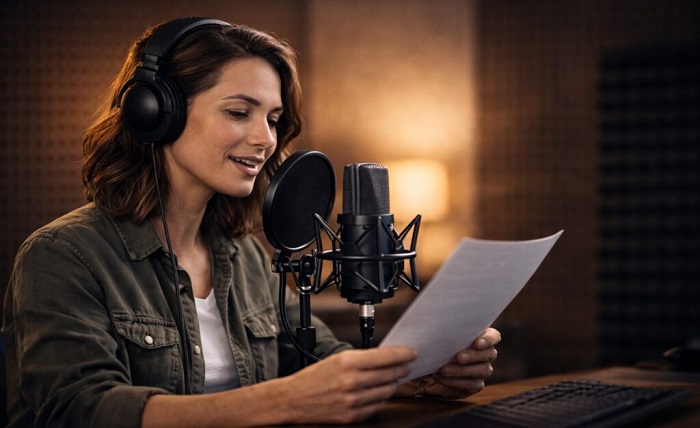
In today’s digital video world, Voice provides personality, clarity, and purpose to digital presenters. Good narration allows the audience to follow information without being dependent on the visuals. In the world of marketing, education, training, and customer support, professional voiceovers are crucial for maintaining consistent communication. Pippit has everything in one place, from creating avatars, voiceover tools, editing, captions, to publishing. In this article, you will read about voiceover benefits, voiceover features, voiceover practical applications, voiceover production tips, and voiceover scalable workflows.
Why Voiceovers Are Essential for Avatar Videos
While static pictures can illustrate information, narration provides direction and energy to presentations. A clear voiceover helps to direct viewers’ attention to key points and provides a more natural viewing experience. Technical concepts, product benefits, procedures, and instructions can be made simpler by spoken communication. AI avatar videos are more effective when they include some narration to tell viewers what they should look for. Dialogue is synchronized with facial movement, making dialogue-to-visuals stronger. Pippit can help you to convert your visual presentation to a structured video with narration, captions, and customisable presenters. This is ideal for marketers, education and support teams, and businesses producing video content regularly.
Features That Make AI Voiceovers More Professional
Pippit enables AI text-to-speech, recorded speech, multiple languages for dialogue, captions, and avatar speech synced with the text. AI text-to-speech eliminates the need for studio equipment to convert prepared text into spoken narration. Recorded narration is appropriate for projects that have a voice, style, or need to be “personally there”. Natural synchronization adjusts the avatar’s mouth to match the voice actor’s speech for increased visual synchrony. Multilingual support assists in adapting videos to other language speakers. Pacing is also important as presentations need different pacing and pauses. Pippit enables creators to edit scripts and presentation details in a single editing workflow.
Where Professional Avatar Voiceovers Deliver the Most Value
Professional narration is helpful with many formats as spoken explanations supplement demonstrations and visuals. Features can be explained, and products, interfaces, or processes can be demonstrated in product demonstrations. Learners can be guided through steps with educational tutorials, and captions can help to reinforce important instructions. Internal training materials can provide repeatable explanations of policies, software procedures and workplace processes. When appropriate, promotion campaigns can be integrated with branded visuals using an AI background generator. FAQ videos can provide short answers to common questions. Pippit provides avatar selection, script editing, voice generation, captions, and video editing for these formats.
Voiceover Elements That Improve Viewer Engagement
Good narration requires some concrete audio and presentation skills. Delivers content at a natural pace; it does not rush or sound mechanical. Good pronunciation makes names, instructions, product terms, and technical information comprehensible. It’s important to have a consistent tone to maintain a professional image and to establish an identifiable communication. A balanced volume will not distract viewers from sudden shifts in the audio. Lip syncing relates the dialogue spoken with the movement of the presenter and creates visual continuity. Captions are readable and enhance spoken content for viewers who watch without audio.
- Natural Pace: Comfortable narration allows viewers to keep up with information without having to fast forward.
- Clear Pronunciation: Distinct speech helps comprehension and helps prevent misunderstandings.
- Steady Delivery: This helps build a sense of professionalism and brand communication.
- Balanced Volume: Narration is at even levels, avoiding sudden ups and downs that may distract the listener.
- Accurate Lip Sync: Synchronized mouth movements enhance dialogue and presenter visuals alignment.
- Readable Captions: Captions serve to strengthen the key messages and to make the video accessible without audio.
Steps to Add Professional Voiceovers to Your AI Avatar Instantly
Step 1: Launch the AI avatar voiceover tool
- Sign up for Pippit by using Google, TikTok, or Facebook account info.
- Open the “More” tab from the left vertical menu bar and access “Video generator”.
- Inside the Popular tools section, choose “Avatar video” to begin creating avatar voiceover videos.
- This feature helps match voice narration with avatars easily for polished and professional presentations.
Step 2: Pair the right avatar with your voice script
- Browse characters in the “Recommended avatars” section under “Choose avatar” before making a selection.
- Narrow your options by gender, age, industry, name, scene, pose, outfit style, or figure.
- Select an avatar and click “Edit script” to add the voiceover dialogue.
- Enter text in multiple languages and allow the avatar to lip-sync every line accurately.
- Visit “Change caption style” to apply captions that complement your narration.
Step 3: Polish the voiceover and export
- After generating lip sync, click “Edit more” to fine-tune the avatar presentation.
- Modify script timing, voice pacing, and facial expressions to improve delivery.
- Add text overlays and background music for a complete professional video.
- When editing is complete, click the “Export” tab in the top right corner.
- Choose “Publish” for TikTok, Instagram, or Facebook, or select “Download” to save the finished video with your preferred format, frame rate, resolution, quality, and name.
How Pippit Simplifies Avatar Voiceover Production
Pippit offers an instant library of avatars to help creators get started without having to create presenters from scratch. Avatar filters make selecting based on appearance, industry, scene, outfit, and presentation style easier. Flexible customization provides for different communication needs such as different framing, expression, and visual choices. AI lip synced ensures dialogue is synced with presenter mouth motion for seamless results. Integrated caption styling provides readable text without the need for a captioning workflow. The editing tools enable editing of scripts, timing, music, text, and visual elements. Having all these functions on one platform can make production management easier and decrease tool switching. Pippit facilitates a practical workflow from script preparation to final export.
Tips for Producing High-Quality Avatar Narration
Writing that is natural to the ear makes for good narration. Conversational scripts tend to be more readable than formal paragraphs. Manageable sentences also facilitate comfortable pacing and pronunciation. Coordinating the narration with the pace of the visuals allows sufficient time for important scenes. Expressions are to be used to support the message, not to distract from the spoken content. Background music should be quiet and not overpower the narration or important dialogue. When exporting, review the pronunciation of product names, technical terms, abbreviations, and unfamiliar words. Final review should ensure timing, captions, volume, synchronization, and clarity of messages.
How AI Voiceovers Support Scalable Content Production
Voiceover equipment can help to speed up production times by minimizing multiple studio sessions. Text-to-speech makes it easier to make changes to scripts when information is subject to change after initial publication. Localization is accomplished with multilingual voice options without having to re-create all the visual elements. Use consistent voice settings and structured scripts to keep similar communication standards in projects. Narration can be updated for new product information, price changes, procedures, or announcements without having to create new presentations. Pippit’s fully integrated editing environment allows you to edit updates, avatars, visuals, music, and export settings. This way, large volumes of content can be created, but you can still maintain control over text and presentation.
Conclusion
Digital presenter videos are clearer, more engaging, and easier to understand with professional voiceovers. Synchronized speech allows narration to be linked to movements of the face and enhances visual continuity. Flexible options with custom recording and text-to-speech. Multilingual support enables the adaptation of content for markets and languages. Pippit offers all the tools for avatar selection, narration, captions, editing, and publishing in a single creative workflow. The framework enables companies to create professional videos in a streamlined manner and maintain uniform communication.